
Around this same time last year, Sean and I did some serious clutter clearing, re-organizing and a whole lot of simplifying. I have to say in hindsight, all the work we did definitely helped clear the space for our trip to Paris. I don’t really think we could have been quite so spontaneous in undertaking a trip like that, if we hadn’t done all that preparation months earlier.
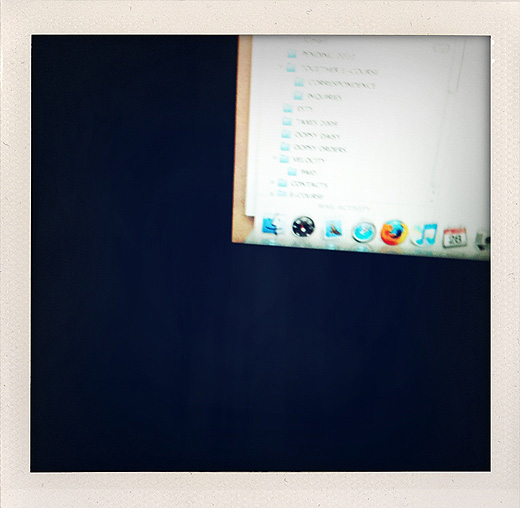
This time, this year, I’m working on the digital side of things. Let’s call it clutter clearing for your computer. And let’s also say it’s not my favorite.
I don’t think anyone quite anticipated, that along with all the amazing enhancements the digital age has brought us, spending time organizing all these amazing enhancements is consuming a lot of time. Honestly some days I wonder? How are we doing it all, emailing, texting, tweeting, blogging, facebooking, flickering, videoing, photographing ~ lots and lots of photographing, and now not only with a camera but with an Iphone too?
When I started my career it happened to be when the digital age took off. It was the beginning of emails and Photoshop files and lots and lots of Ram for your computer. Working as a multi-media graphic designer and art director during this time was the very beginning of learning how to organize a digital life, that since then ~ well as I’m sure you can guess has almost taken over my physical life. Ok, that’s a bit of an exaggeration ~ but in all honesty it is what I’m hoping to prevent. I know everything is just files in a computer, but still ~ It has the same affect. When it’s disorganized, my mind feels cluttered and my work gets distracted, not to mention the fact that tasks take way longer because I’m looking for that file. At this point, it doesn’t matter whether it’s in a paper manila folder in my wooden file box or a blue one on my desktop, it helps when I can find what I’m looking for fast.
And I know I’ve mentioned this before, an organized life is an underrated one. It amazes me every time, I make getting my life in order a priority ~ I just feel so much better when I’m organized.
I do have to say, I’m usually pretty good at keeping up with it all, and I do mostly have everything in the right folder. Some days I even enjoy organizing, but it’s the excess of photography files, emails, and photoshop files that I save, that I have the most trouble with ~It’s the whole letting go of the file and wondering if I will need it later, just like dealing with physical clutter. As an artist, it’s especially challenging because most of my files are also digital archives of my work. How do I draw {no pun intended} the line at what to save and what to keep of what I’ve created? It’s a lot easier to hold on to more because it’s digital, and then I also do have an external hard drive...
Since digital organizing is not a topic of most conversations, which I don’t understand seeing as how it’s so crazy fun {not so much} I thought I’d ask you, what tips you have in keeping yourself digitally organized? Especially my photographer friends, how do you do it? I know sometimes I’m sorting through 100 photos to get 2 or 3 of one product. Probably just me obsessing over the perfect shot, but then again it’s common knowledge that you usually have to shoot a lot to get that one "shot". In fact I was scolded by my photography teacher in college, because I did not shoot enough rolls of film. Fine, I blame her ~ it’s all her fault.
To kick this off, in no particular order, here are some of my processes on digital organizing. I won’t call them tips because as I research this topic further, I might be making things more complicated than they ultimately should be. But I’ll share them with you in case any of these processes might be of help to you?
• I CAPITALIZE all the titles to my file folders, and keep the file names titled in lowercase letters. Something about this really helps my eyes discern the difference between the two
• I can’t be too clear in my labeling each file in some kind of consecutive order with numbers like "photo1.jpg".
• I also find describing photo files instead of leaving them titled by the camera helps me find what I’m looking for faster rather than opening them all up on Preview each time.
• I do always keep an original high res photo file of any image that I edit and size down. This has helped me when a publication, etc. has needed the high res version later. I don’t however shoot in a super high res mode so my original files aren’t crazy big
• I’m thinking the more digital files I collect, the more specific the file folders the better. Even if the folder contains just a few files int it, it’s seems a lot easier to find exactly what I’m looking for when I put it in a folder with a few files vs. piling everything into one broad folder like "Pictures"
• Being slightly ruthless with my digital photos is a must...or soon I will have more than one external hard drive
• Most important as an artist. I always keep an Original scan file of every painting and I title it "title of the painting O.jpg" I keep all the paintings of each calendar year together in one folder. Within that folder I keep the original scans in their own folder separate from all the edits, like re-sizing etc. of those same painting images. I back up my original scan file often.
• Speaking of backing up...Backing up your files regularly is very IMPORTANT. Now some computers, and/or programs have made it easier by automating that process for you. As of now I still back up manually, meaning I drag/copy my files to an external hard drive
• I don’t know if naming files with "space between the words.jpg" or "nospaces.jpg" is easier? I seem to switch between the two. Of course I do my best to keep both the folder and file names short
• If it helps you to have your folders be pretty? I just learned this yesterday! On a Mac you can highlight the file folder, type "command I" or go to your Finder- under File- 'get info'. You will see a window pop up with all the details of that file folder. Open an image you would like to use instead of the blue file folder, like I just used one of my painting images ~select your image, copy it, click on the image of the blue file folder at the top of the 'info' window and paste. Voila, you’ve got a pretty new image for your folder.
• Keeping up with answering emails every day or two seems to be better than once a week, although sometimes once a week is how it goes. In my ideal world, I read and respond to an email once, at the same time ~ rather than opening it, reading it and coming back to it which is when I open it, and read it again and then respond to it, or sometimes I come back to it again, and by this time I’ve read it 3 times. This read and respond to it tactic only seems to work when I really set aside time each day dedicated exclusively to checking and responding to emails ~ which, let’s be honest, the Iphone has blown this practice because I do a whole lot more checking throughout the day than responding...I do also keep files in my email program where I can sort emails, but then I do have to remember to go through those files and see what’s in there that I saved for later. Let’s just say that for me, the process of emailing is still a work in progress.
• Downloading, organizing and deleting my photos from the camera all in one sitting is also ideal, rather than downloading, grabbing what you need, editing it and leaving the rest in a folder and/or your camera to be organized *LATER*
• All of this does take practice. Especially if you are in business for yourself. I find that you have to learn how you are going to work the most efficiently. You have to figure out what techniques work best for you to stay organized and a lot of that is figured out over a period of time, and also through some trial and error.
• Breaking up the process of organizing with fun activities is also good.
• Keeping up with all of this as it’s happening is way better than putting it off until later, when you spend several days if not weeks all at once, getting everything organized~ and now you, I mean ME, are behind in everything else you put off to get it all organized ~ *whew*
• Of course you know what I realize as I write this post? A big part of supporting the whole "organizing as you go" is managing your time. If you manage your time, you won’t be in a rush {as often}. Of course, life is full of surprises. Then again a good time manager knows how to leave room for the unexpected. And being organized supports the unpredictable, un-expected and spontaneous moments in life to flow a lot easier. So it’s all one big vicious cycle. Gotta start somewhere.
• Oh, and on the days when living life is more of a priority than organizing, I do keep a 'Pending' folder on my desktop and everything that needs to be handled 'later' goes right in there. On a side note for my fellow Mac users, I heard that it slows your computer way down to have too many files floating around on your desktop. So using your desktop as your pending folder, not such a good idea.
Ok then, now that I’ve sufficiently put off more organizing by writing this post, you know where I’ve been. I will say that the hardest part of this process is always 'starting', but then the momentum kicks in and you can’t stop, so back to organizing it is.
Check back, because I might add more tips as I think of them. I look forward to hearing your thoughts on this, because I know it will inspire me to keep going on this project...help.
*Edit* 2 seconds after I hit publish. Whoops ~ didn’t mean for this post to be quite SO long. No wonder I’m not getting any organizing done ;)




For processing emails, I find this approach (Inbox zero-<a href="http://www.youtube.com/watch?v=z9UjeTMb3Yk)">http://www.youtube.com/watch?v=z9UjeTMb3Yk)</a> very useful. I deal with a lot emails at work and although I'm not perfect at keeping up with this approach all the time, it's powerful when you do.
This approach is stemmed from David Allen's GTD (you probably know him,very famous). One of his best words to describe how a good organized life is "mind like water". Your second bullet from the end describes this.